Screenshot Element

Takes a screenshot of the target element.
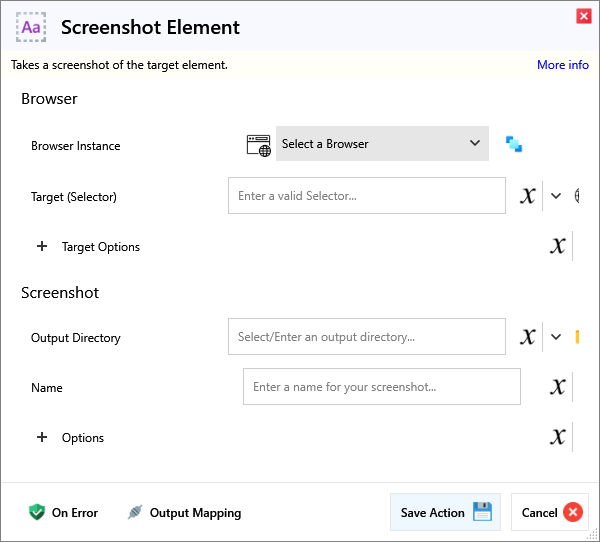
Input
Browser
| Name | Required | Description |
|---|---|---|
| Browser Instance | Which browser instance to run against. | |
| Target (Selector) | A Selector string that targets a specific element on the web page. |
Target Options
| Name | Required | Description |
|---|---|---|
| Match Type | Match Text either behaves as Regex or a simple Contains text check. | |
| Match Text | Matches elements that either contain this or match the regex somewhere inside the selected element, possibly in a child or a descendant element. | |
| Match Index (Nth) | (Optional) Target the Nth instance of the element. Eg. For 2 of the same element, use an Index of 0 to match the First and 1 to match the Second. | |
| Frame Target (Selector) | (Optional) Specify a Frame Selector, for example to first target an iframe before the primary Target. |
Screenshot
| Name | Required | Description |
|---|---|---|
| Output Directory | Output directory for screenshot to be saved in. | |
| Name | The screenshot file name, without extension (that is set in Options/Format). |
Options
| Name | Required | Description |
|---|---|---|
| Image Format | What format to save the screenshot in. | |
| Image Quality (JPEG Only) | Quality, between 0 and 100. Only affects JPEG Format. | |
| Remove Background | (Experimental) Removes all white background from the screenshot. | |
| Timeout (ms) | How long to wait in milliseconds for a successful screenshot. Default is 30s. |
Output
| Name | Required | Description |
|---|---|---|
| Action Success | True if the action passed, false if it failed. |